文本填充效果

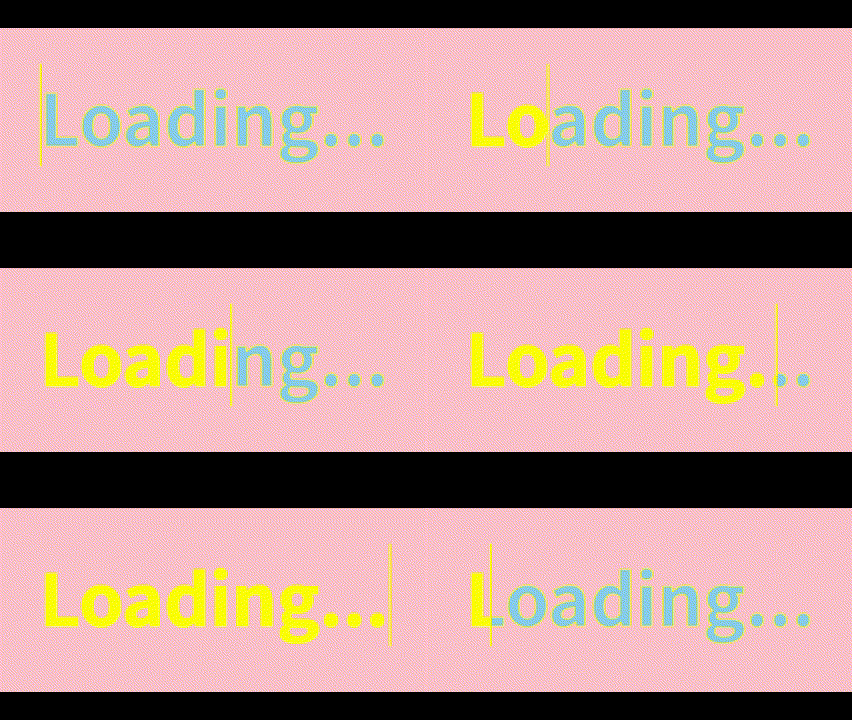
效果图

Loading...

代码实现

1
2
3
4
5
6
7
8
9
10
11
12
13
14
15
16
17
18
19
20
21
22
23
24
25
26
27
28
29
30
31
32
33
34
35
36
37
38
39
40
41
42
43
<body>
<h1 data-text="Loading...">Loading...</h1>
</body>
<style>
*{
box-sizing: border-box;
margin: 0;
padding: 0;
}
body{
display: flex;
justify-content: center;
align-items: center;
min-height: 100vh;
background-color: pink;
}
h1{
position: relative;
font-size: 10vh;
color: skyblue;
-webkit-text-stroke: 1px yellow;
}
h1::before{
content: attr(data-text);
position: absolute;
top: 0;
left: 0;
width: 0;
height: 100%;
color: yellow;
border-right: 3px solid yellow;
overflow: hidden;
animation: loading 5s linear infinite;
}
@keyframes loading{
0%,10%,100%{
width: 0;
}
70%,90%{
width: 100%;
}
}
</style>

代码解析

  • data-text为自定义属性,属性值为Loading
  • -webkit-text-stroke表示给文字描边
  • ::before为伪类选择器,表示在html结构前添加内容,content为添加的内容,attr表示把属性值作为内容,也可不写attr而直接写内容
  • position: absolate使伪元素与html内容重合
  • border-right为伪元素添加右边界,便于通过伪元素宽度的增减实现文本填充的效果

旋转变色

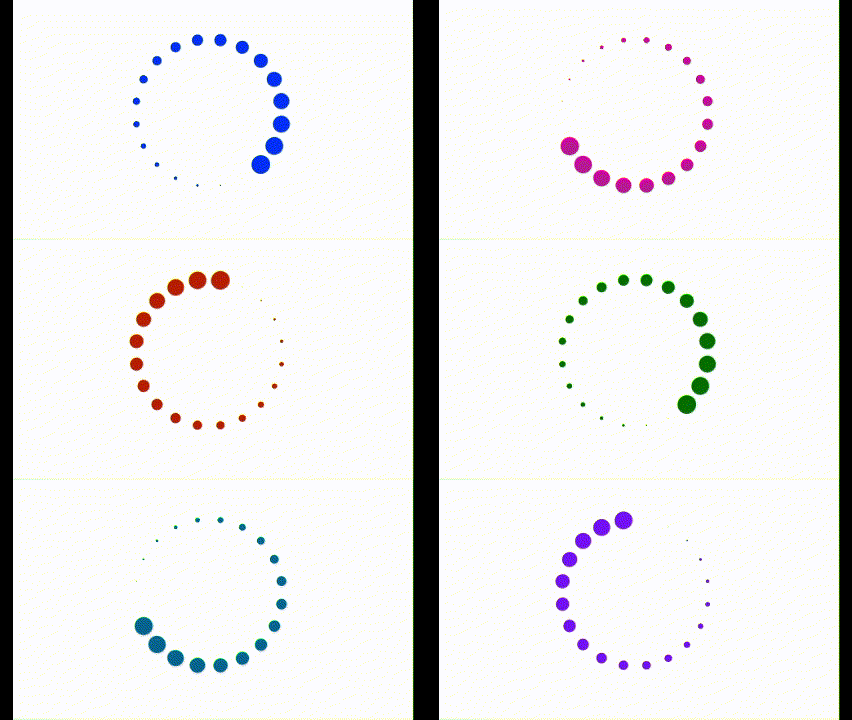
效果图
代码实现

1
2
3
4
5
6
7
8
9
10
11
12
13
14
15
16
17
18
19
20
21
22
23
24
25
26
27
28
29
30
31
32
33
34
35
36
37
38
39
40
41
42
43
44
45
46
47
48
49
50
51
52
53
54
55
56
57
58
59
60
61
62
63
64
65
66
67
68
69
70
71
<body>
<div class="circle">
<div class="item" style="--i:1;"></div>
<div class="item" style="--i:2;"></div>
<div class="item" style="--i:3;"></div>
<div class="item" style="--i:4;"></div>
<div class="item" style="--i:5;"></div>
<div class="item" style="--i:6;"></div>
<div class="item" style="--i:7;"></div>
<div class="item" style="--i:8;"></div>
<div class="item" style="--i:9;"></div>
<div class="item" style="--i:10;"></div>
<div class="item" style="--i:11;"></div>
<div class="item" style="--i:12;"></div>
<div class="item" style="--i:13;"></div>
<div class="item" style="--i:14;"></div>
<div class="item" style="--i:15;"></div>
<div class="item" style="--i:16;"></div>
<div class="item" style="--i:17;"></div>
<div class="item" style="--i:18;"></div>
<div class="item" style="--i:19;"></div>
<div class="item" style="--i:20;"></div>
</div>
</body>
<style>
.circle{
width: 100px;
height: 100px;
position: relative;
border-radius: 50%;
}
.item{
--radius: 30px;
position: absolute;
top: 0;
left: 0;
width: 100%;
height: 100%;
transform: rotate(calc(18deg * var(--i)));
animation: ani1 3s linear infinite;
}
@keyframes ani1{
0%{
filter: hue-rotate(0deg);
}
100%{
filter: hue-rotate(360deg);
}
}
.item::before{
content: "";
position: absolute;
top: 0;
left: 0;
width: 15px;
height: 15px;
transform: scale(0);
background-color: red;
border-radius: 50%;
animation: ani2 2s linear infinite;
animation-delay: calc(0.1s * var(--i));
}
@keyframes ani2 {
0%{
transform: scale(1);
}
100%{
transform: scale(0);
}
}
</style>

代码解析

  • 子绝父相,使每个子元素都重合在左上角,再通过自定义属性--i使子元素旋转不同角度,通过::before添加内容为空的伪元素,形成20个圆组成的圆环
  • ani1中通过filter: hue-rotate()对色相进行旋转,使之呈现变色的效果
  • ani2中通过scale缩放伪元素大小,在通过animation-delay对其进行延迟播放,当所有动画都开始播放时正好为动画的起始点,达成循环效果
  • 伪元素中若没有transform: scale(0),则会从所有圆大小相同时开始执行